CHAPTER 05User Manual — Daily Operations
Day-to-day operation of the TCEC access control system for tenants and the building manager.
5.1 Accessing the System
| Interface | URL / Address | Used For |
|---|---|---|
| Access Control UI | prox.tcec.ca | Access log, arm/disarm, tenant management |
| Home Assistant | ha.tcec.ca · 192.168.191.121:8123 | Full HA configuration and entity control |
| SSH (admin only) | ssh -i ~/Desktop/id_rsa root@192.168.191.121 (key-based; ha.tcec.ca does not accept SSH) | File editing, log tailing |
| Kiosk (on-site) | Pi 4 at 192.168.191.109 — auto-starts on boot | On-site display of access log |
| Documentation | prox.tcec.ca/app/manual | This manual |
5.2 Reading the Access Log
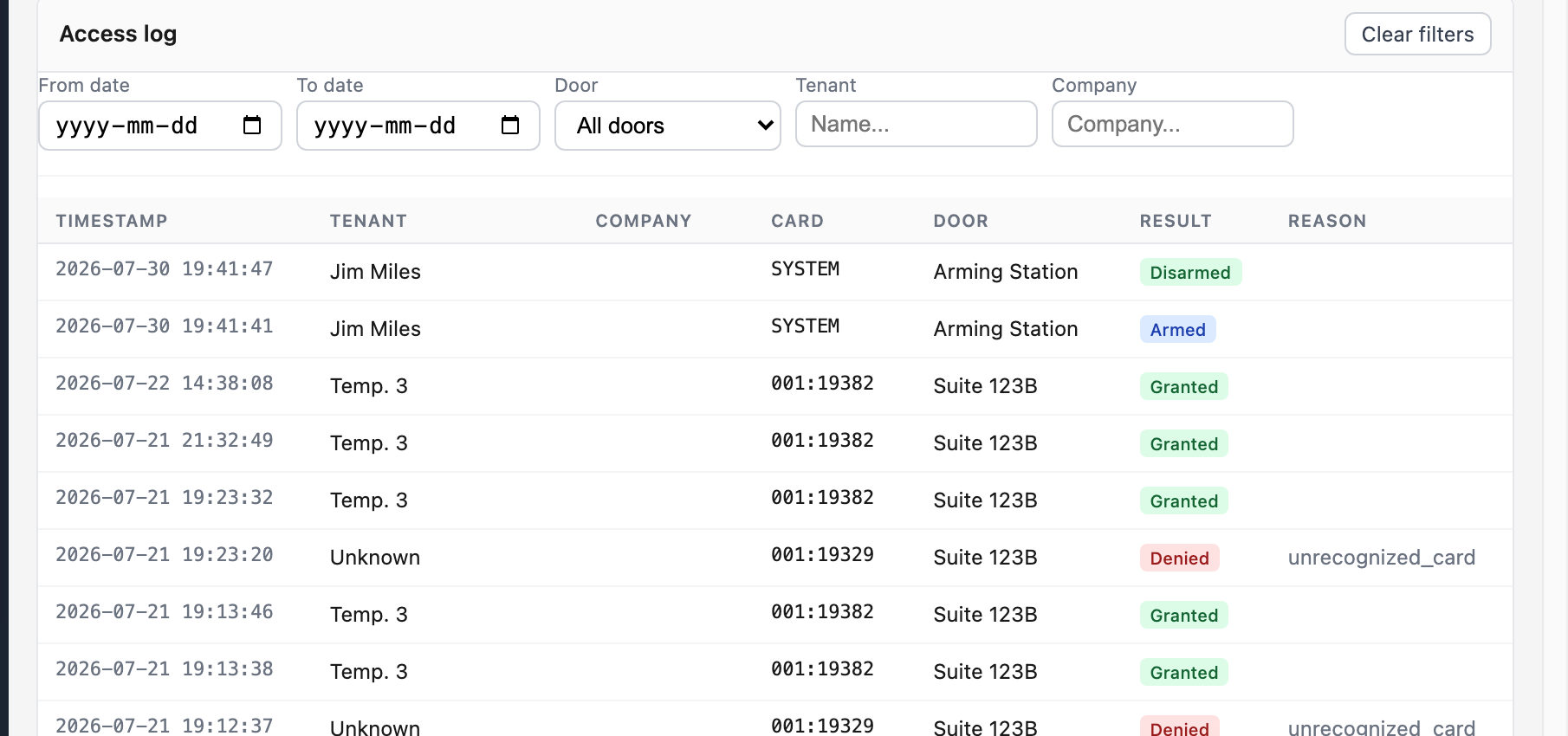
The access log at prox.tcec.ca shows all card swipe events in reverse chronological order.
| Column | Content |
|---|---|
| Timestamp | Date and time of the swipe event |
| Tenant | Name and card number of the cardholder |
| Door | Door ID that was swiped (e.g. 123b, main_entrance) |
| Result | Granted Denied Armed Disarmed — stored at event time |
| Photo | Thumbnail if a camera captured the entry |
5.3 Arming the Building
- Complete a physical walkthrough of all areas to confirm the building is clear.
- Swipe your proximity card at the designated arming station reader.
- The system announces arming via the Nest Mini and logs the event with your card ID.
- Follow any on-screen prompts on the kiosk display.
5.4 Disarming the Building
Any valid tenant card swiped at any door reader disarms the system. You do not need to return to the arming station. The disarm event is logged with tenant identity and timestamp.
The System Administrator may also arm or disarm via the button in the access control web UI — these events are logged as System Administrator.
5.5 Viking C-4000 Intercom — Visitor Entry
- Visitor looks up the tenant's 3-digit code in the C-4000 directory at the main entrance.
- Visitor dials the code. The C-4000 calls the tenant's stored phone number.
- Tenant speaks with the visitor through the intercom call.
- Tenant presses 36 on their phone to energise the door strike and admit the visitor.
- Entry event is logged via LOG BUS serial output (integration pending — see Chapter 6).
5.6 Managing Tenants and Cards
Tenant and card management is done entirely through the access control web UI at prox.tcec.ca. Direct SQLite access is no longer required for day-to-day tenant work.
Add a new tenant and card
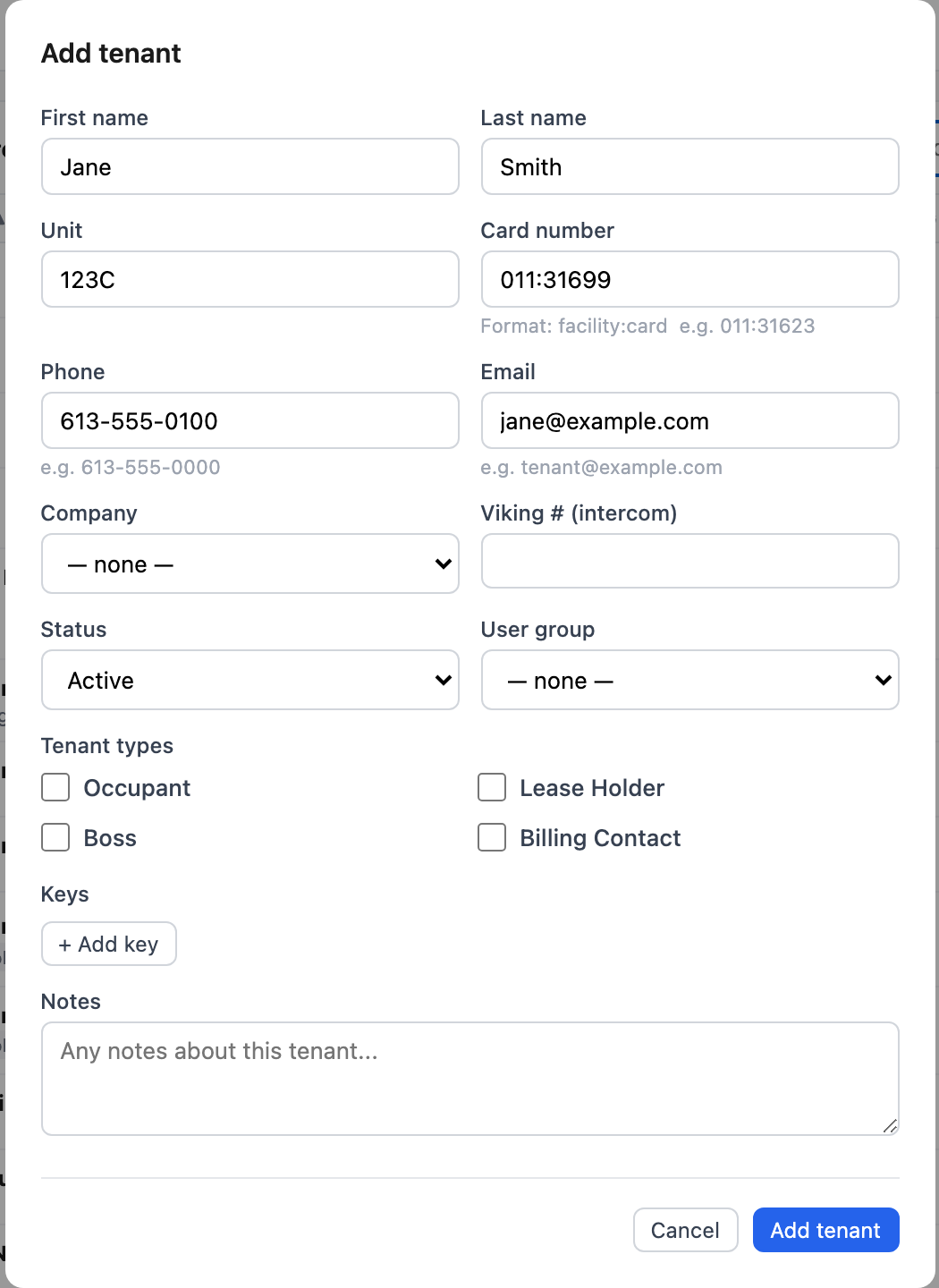
From the Tenants page, click + Add tenant and fill in the details. The card number uses the printed facility:card format shown on the reader (e.g. 011:31623). Leaving the card field blank creates the tenant without a card assigned.
Grant door access
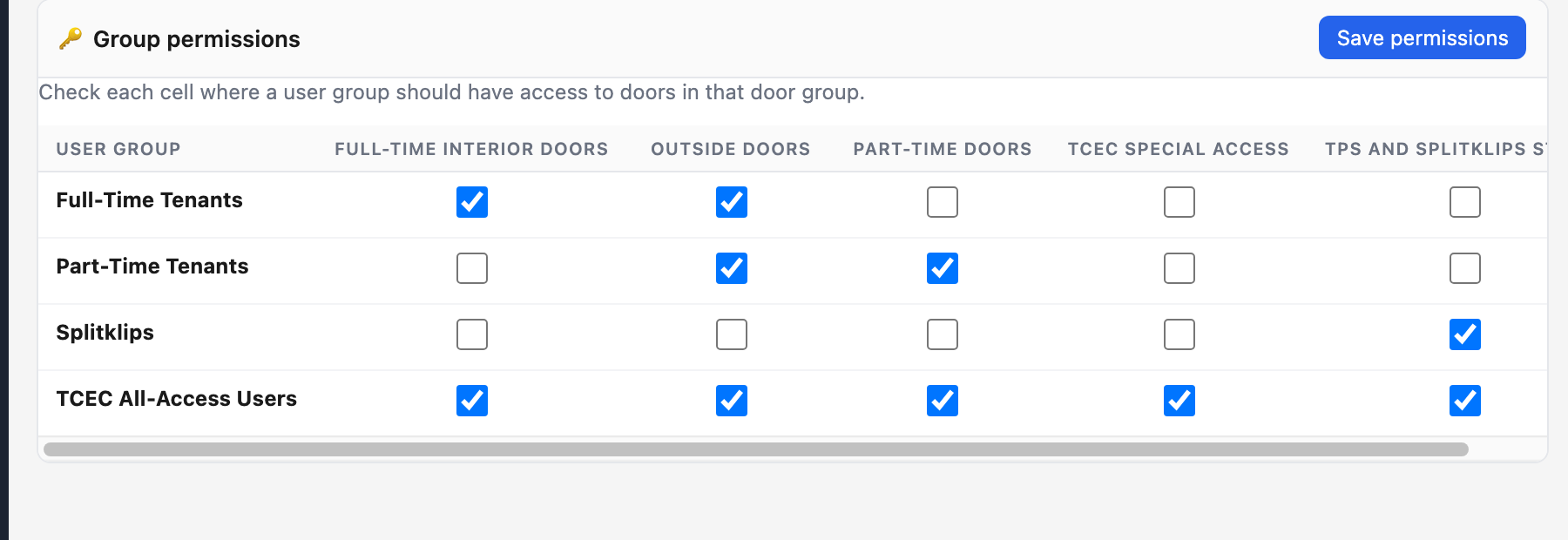
Individual tenants don't get door access directly — access is controlled by user groups. On the Groups page, check the cell where a user group should have access to a door group, then click Save permissions. Assign the tenant to the appropriate user group from their tenant record.
Deactivate a card
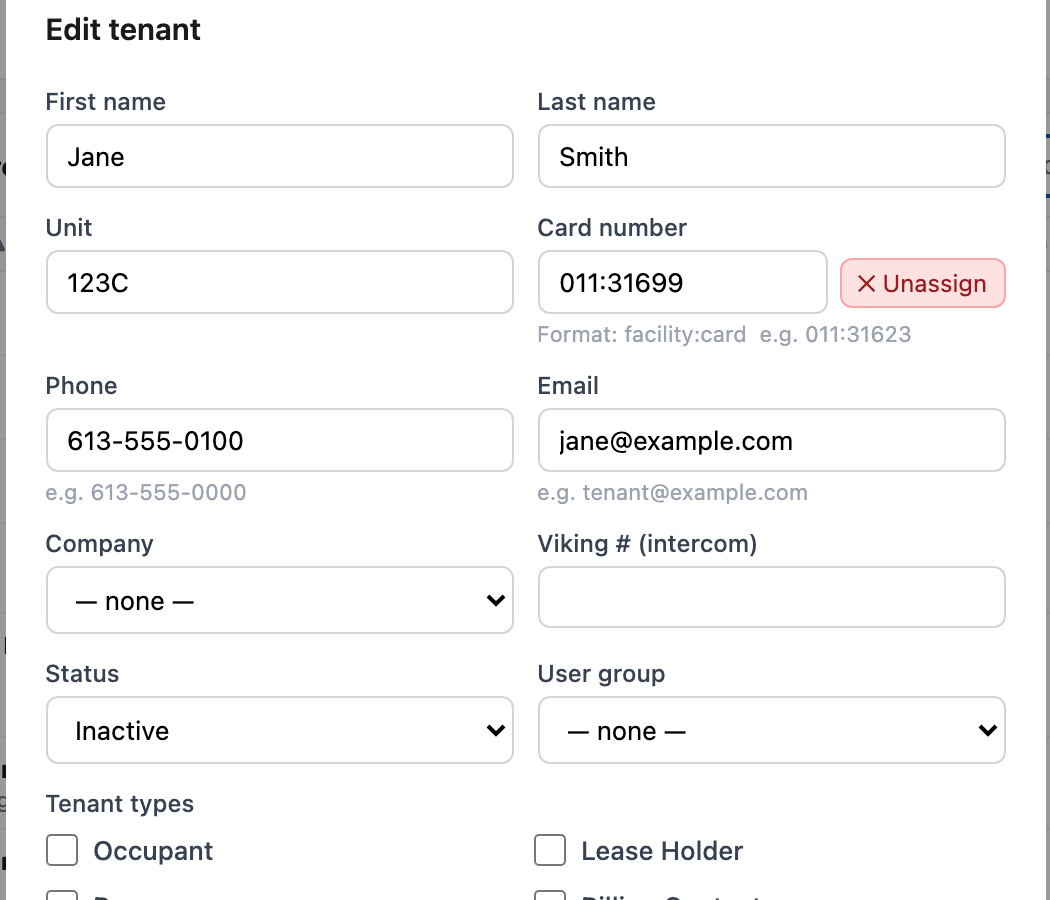
Open the tenant's record from the Tenants page and click Edit. To remove just the card while keeping the tenant record, click ✕ Unassign next to the card number field and save. To deactivate the tenant entirely (revoking all access), set Status to Inactive.
Query recent denials
The Access Log page lists every access attempt with door, card, and result. Denied attempts are shown in red with a reason (e.g. unrecognized_card); use the Door, Tenant, or Company filters to narrow results.
5.7 Voice Announcements
- Primary TTS: ElevenLabs Sigma Centauri voice (ID: bAq8AI9QURijOtmeFFqT), model eleven_turbo_v2_5.
- Audio generated to
/homeassistant/www/snapshots/hal_speech.mp3and played through Nest Mini (media_player.therese_office_122a). - If ElevenLabs API is unavailable the system falls back to Google TTS automatically.
- Sigma Centauri is intentionally distinct from the OpenAI Onyx voice used in the LMaiS enterprise system.